
Built for WordPress businesses
Your warehouse, managed right inside WordPress.
- Quick WordPress setup
- No credit card required
- Modular add-ons
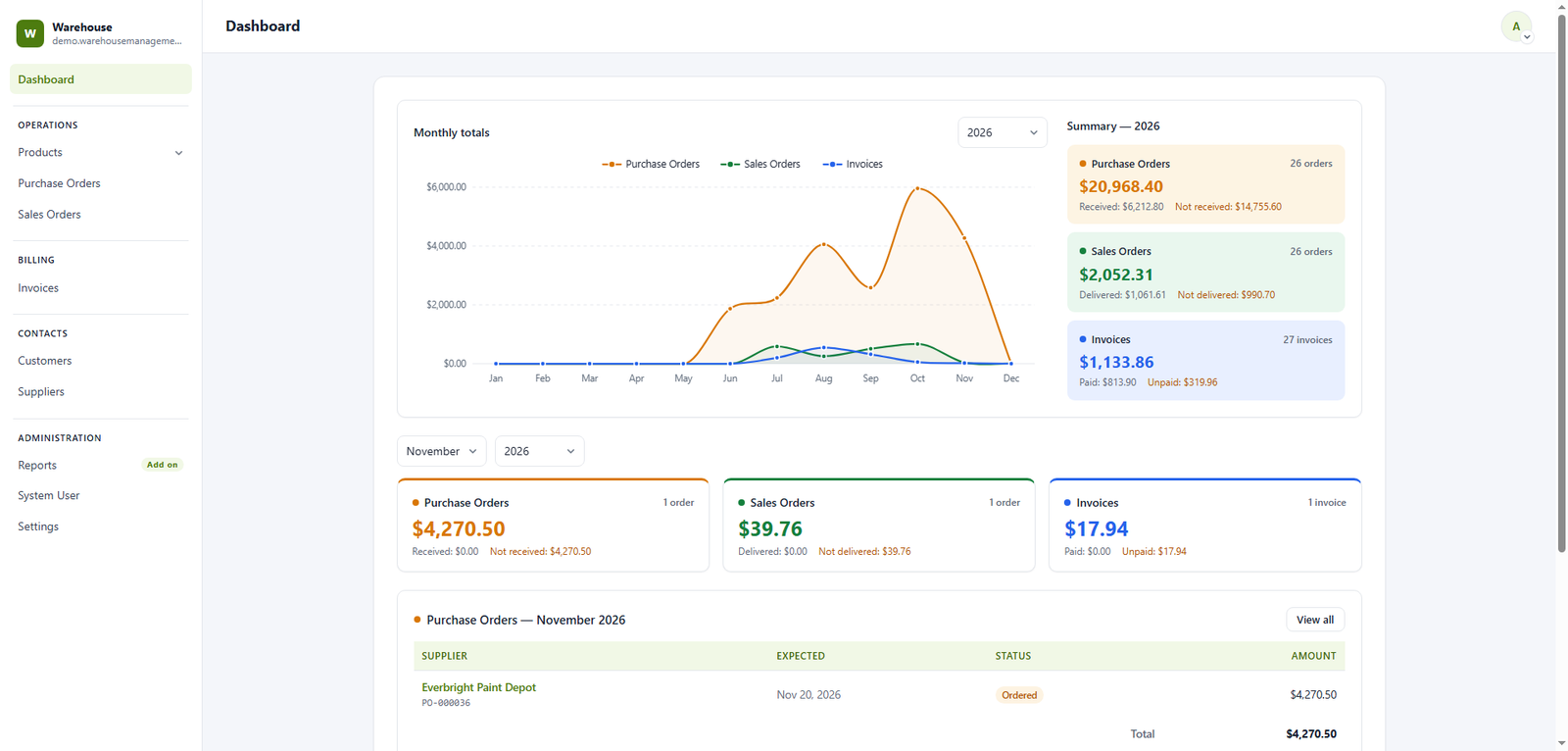
Warehouse work, without the software sprawl.
Inventory control
Track quantities, locations, batches, and stock movement directly inside WordPress.
Order management
Move orders from receiving to picking, packing, and dispatch with a clear workflow.
Invoice and Billing
Find and update products faster with barcode-supported warehouse operations.
Role-based access
Give each team member the right level of access with familiar WordPress permissions.
WordPress native
Works where your team works
Your website and warehouse finally speak the same language.
Familiar admin experience
Fast guided setup
Flexible user permissions
Built to grow with add-ons
A clear view of every moving part.
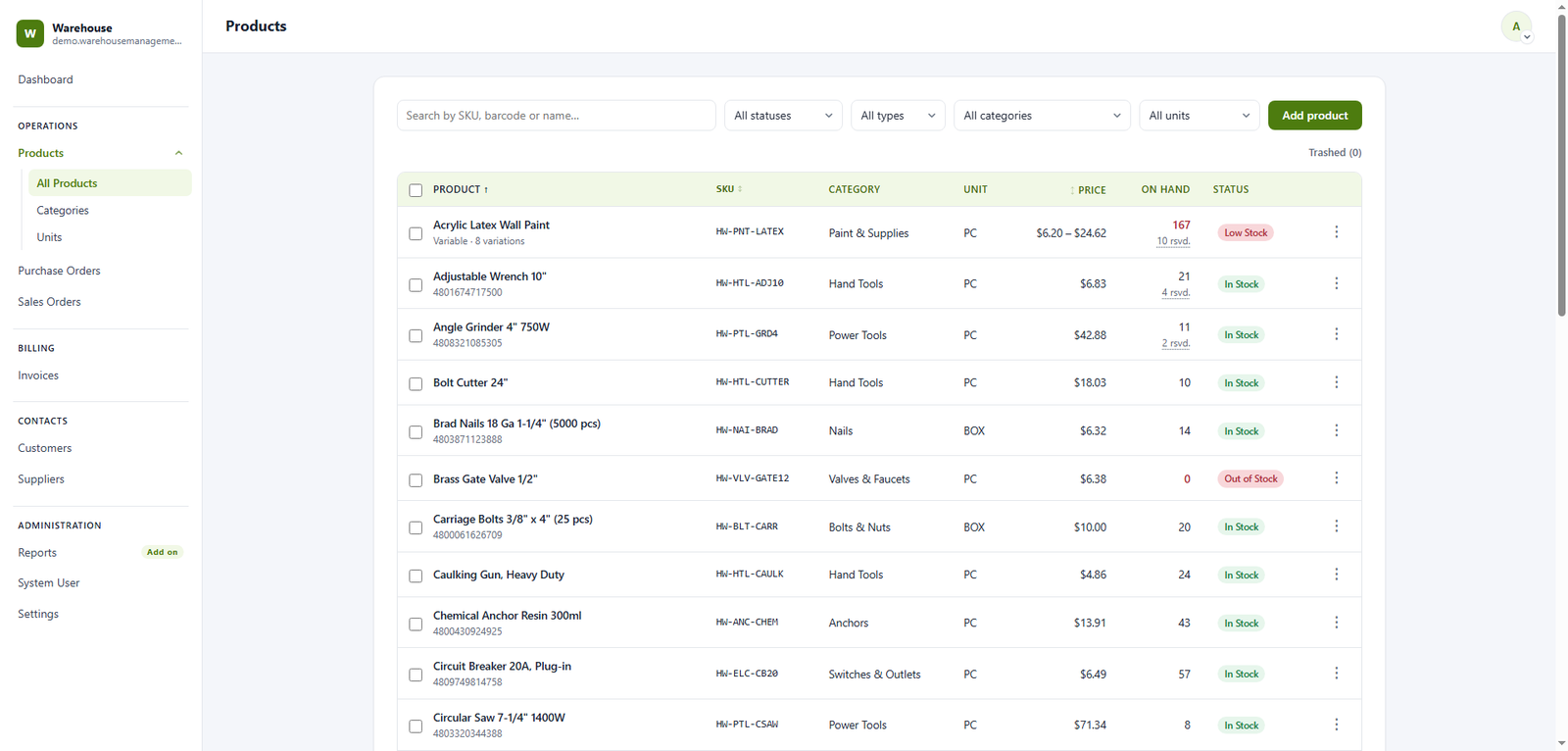
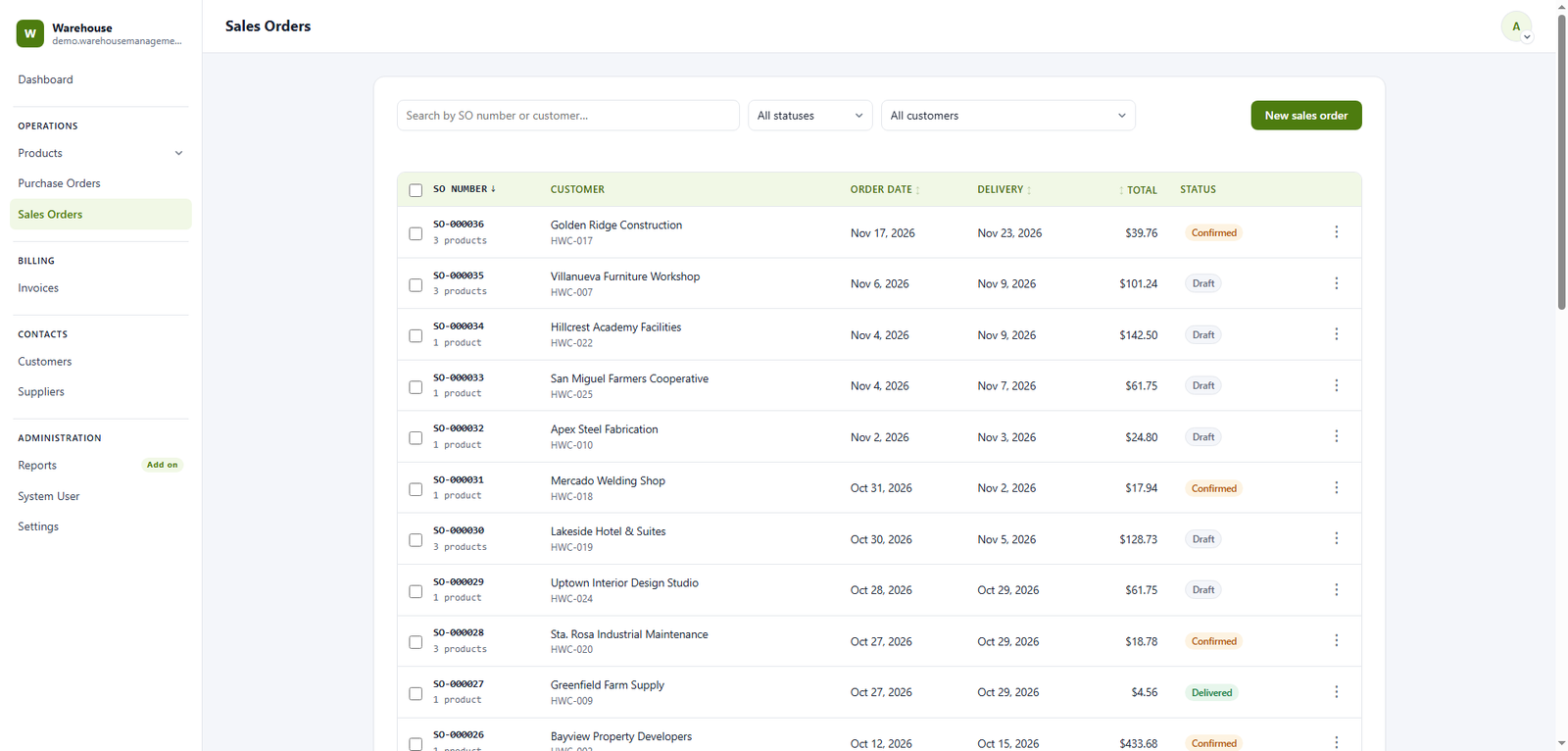
Explore the dashboard at your own pace.
demo.warehousemanagementsolutions.com/wms/
Demo data resets every 24 hours. Please do not enter personal, confidential, or production information.
Warehouse Manager
Inventory, orders, shipments, and reports
Accounting Staff
Receiving, picking, packing, and stock updates
Sales
Read-only dashboard and inventory access
Build the toolkit your operation needs.
Import / Export
Move products, stock counts, and warehouse records in bulk using simple CSV templates.
Reports & Analytics
Unlock inventory valuation, movement history, stock aging, and downloadable reports.
Shipment & Delivery
Plan dispatches, assign carriers, and follow every delivery from warehouse to customer.
Request for Quotation
Collect supplier quotations, compare offers, and turn approved requests into purchases.
WooCommerce Integration
Keep store orders and warehouse stock synchronized without repetitive manual updates.
More integrations coming
Have a workflow in mind? Tell us what your warehouse needs next.
Good questions, clearly answered.
Can a WMS integrate with existing systems?
Yes, WMS is designed to integrate with existing systems such as Enterprise Resource Planning (ERP) systems, Customer Relationship Management (CRM) systems, and other software to ensure seamless data flow and improved operational coordination.
How long does it take to implement a WMS?
The implementation timeline can vary depending on the complexity of the warehouse operations and the WMS customization requests. It can range from a few weeks to several months. Factors affecting the timeline include customization requirements, data migration, and staff training.
Can a WMS support multiple warehouses?
Yes, WMS is designed to manage multiple warehouse locations. It provides centralized control and visibility, allowing you to coordinate operations across different sites and optimize inventory distribution.
What kind of support is available for WMS users?
Support options often include technical assistance, customer service, online resources such as FAQs and knowledge bases. We offer robust support to address any issues that arise.